
Facebook-f
Youtube
Twitter
Linkedin
In a competitive business landscape, your product presentations need to stand out from the competition in order to succeed. With SOLIDWORKS Visualize, you can create animated PowerPoint presentations using your existing SOLIDWORKS 3D Models. Quickly and easily convert static presentations into an animated 3D presentation to attract customers, and help them understand your product portfolio better.
.GLB & .GLTF format
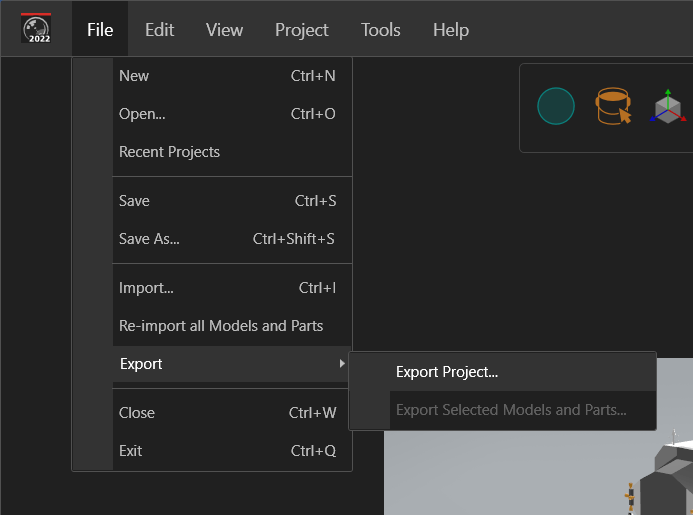
In PowerPoint, we can import 3D models using .GLB (Graphic Language Transmission Format Binary) & .GLTF ( Graphic Language Transmission Format) file formats. SOLIDWORKS Visualize is capable of exporting 3D models with all appearances, scenes, models, lighting, materials, animations. These file formats are also able to be leveraged in XR (VR & AR) applications and games, as well as many other applications.
Try it Out for Yourself
Follow the steps below to try turning your 3D SOLIDWORKS models into PowerPoint animations.
1. Create a New SOLIDWORKS Visualize project, or open an existing one.
Open SOLIDWORKS Visualize > File > New
2. Import your 3D Model
File > Import
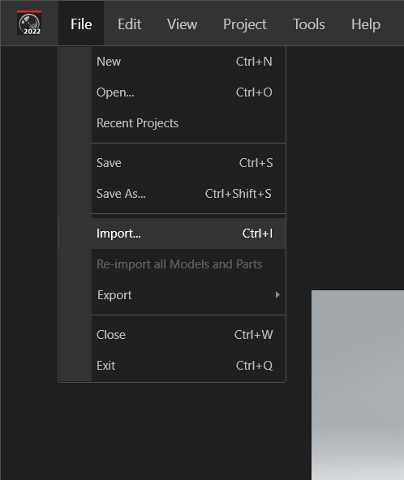
3. Export as.GLB or .GLTF file format
4. Insert your 3D model into a PowerPoint project
Insert > 3D Models > This Device
You can use Morph Transitions (available with Microsoft 365 / PowerPoint 2019 or later) to create animated 3D presentations for your company product portfolio.
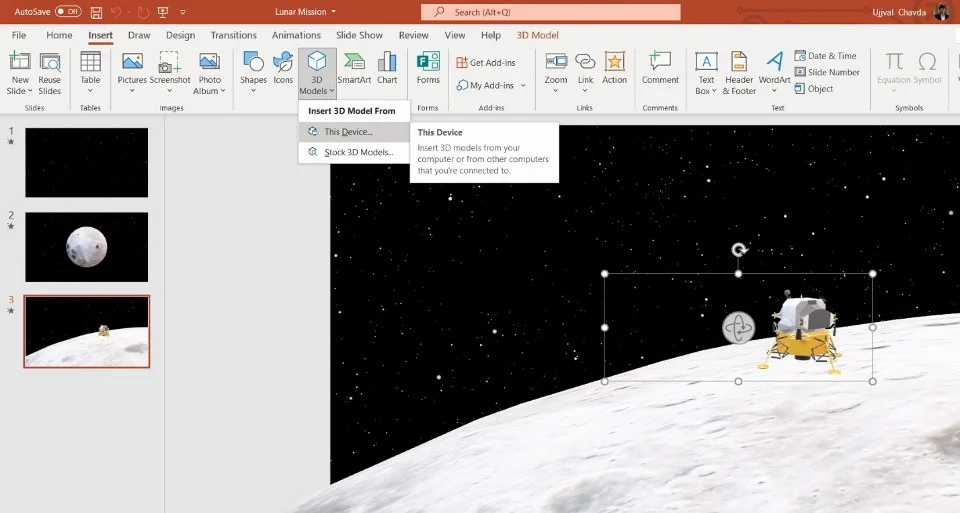
It’s that simple! Leverage your 3D CAD models in more ways than one, by leveraging SOLIDWORKS Visualize.
Check out this short presentation I have created for the Lunar Mission:
https://www.youtube.com/watch?v=pCiVIEEN9Ss

Ujjval Chavda
Applications Specialist
Ujjval joined the CAD Micro team in 2023 as an applications specialist. Connect with Ujjval on linkedIn .